Site Header
ShopCreate a videoAI Video
Deviation Actions





Description
WINDOWS 8 VISUAL STYLE
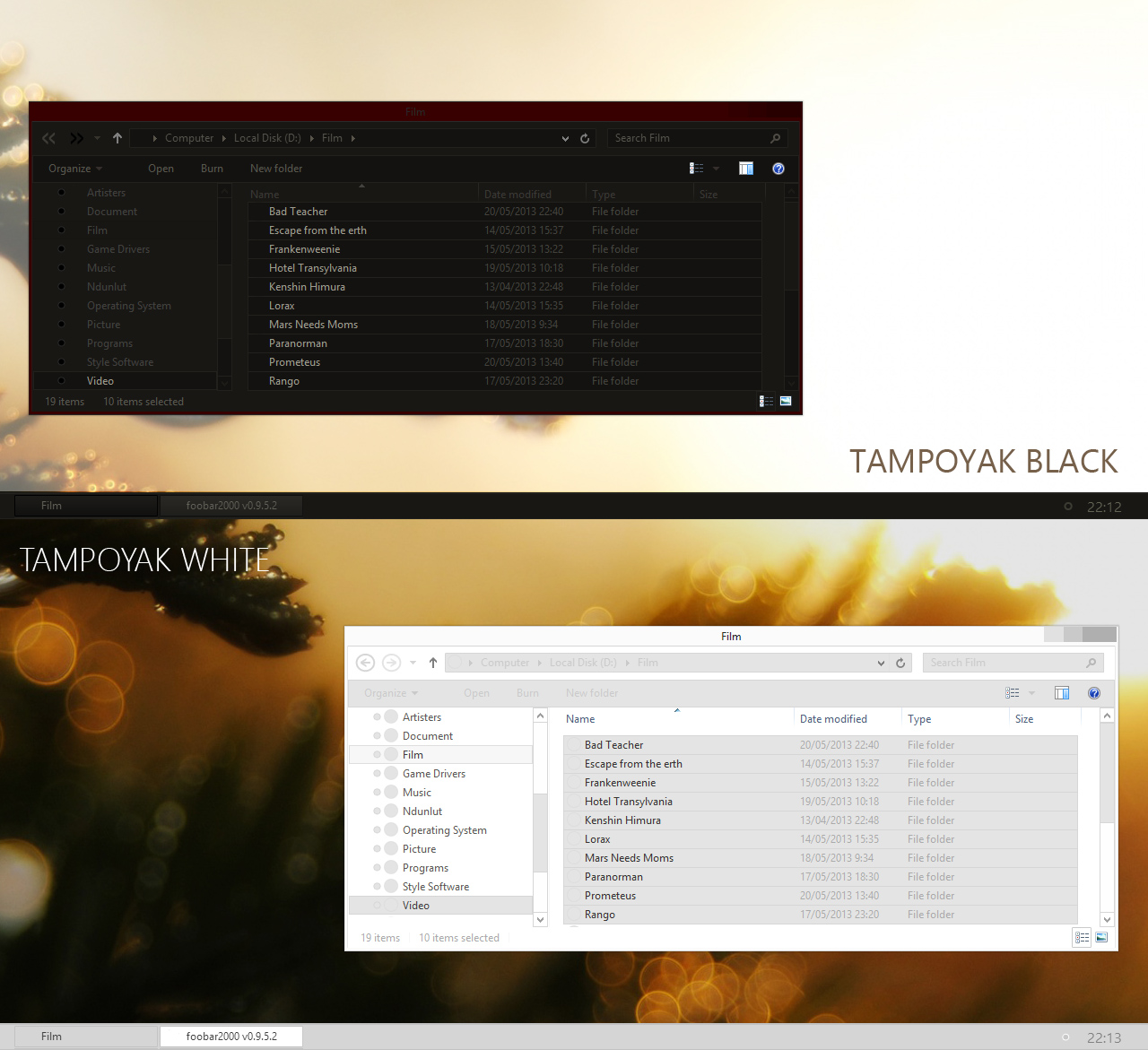
finally, I can finish this VS. This is a different version of tampoyak on windows 7 [link]. This vs using top Taskbar. whereas for a more minimalist theme like in version windows 7, I still can not make it. because, to make a transparent taskbar is still very difficult in windows 8.
In this theme, you can change the color of the taskbar. You need ribbon disabler application for this theme.
---------------------------------------------------------------------------------------------------------------
- Copy all file in "visual style" folder to C:/windows/resources/themes.
- Use the Ribbon Disabler [link] to hide Ribbon windows 8.
- Read "Readme.jpg" to see tutorial and make small taskbar.
- For the icon, I make it with simple and transparent image.
- Other Tbaricon Blanker
---------------------------------------------------------------------------------------------------------------
Better
- Black [link]
- White [link]
Enjoy...
finally, I can finish this VS. This is a different version of tampoyak on windows 7 [link]. This vs using top Taskbar. whereas for a more minimalist theme like in version windows 7, I still can not make it. because, to make a transparent taskbar is still very difficult in windows 8.
In this theme, you can change the color of the taskbar. You need ribbon disabler application for this theme.
---------------------------------------------------------------------------------------------------------------
- Copy all file in "visual style" folder to C:/windows/resources/themes.
- Use the Ribbon Disabler [link] to hide Ribbon windows 8.
- Read "Readme.jpg" to see tutorial and make small taskbar.
- For the icon, I make it with simple and transparent image.
- Other Tbaricon Blanker
---------------------------------------------------------------------------------------------------------------
Better
- Black [link]
- White [link]
Enjoy...
© 2013 - 2026 s4r1n994n
Comments29
Join the community to add your comment. Already a deviant? Log In

Could you explain how you change the file explorer icons (the back and forward navigation arrows) in the darker theme? I love the way that looks, but can't seem to find a way to change it.