







Explore T-shirts for sale




Explore Team Updates
Sending a little light your way by Team, journal
Sending a little light your way
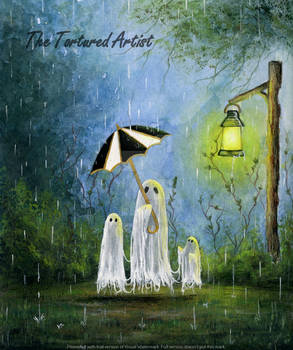
[EMOTE]Sometimes a work of art or a touching comment can just light up your day. 🏮 Through the end of November, thank an artist whose creativity made you smile with the Lantern of Light badge. As the days get shorter, a little light goes a long way.
[EMOTE] Awarding it is completely free! Grant some today for 0 gems. [EMOTE]
[DEVIATION]
[DEVIATION]
Awarding Lantern of Light to a deviation or comment
1. Open the deviation or find the comment you would like to recognize.
2. Locate the badge icon beneath it.
3. Select Lantern of Light.
4. Click Award Badge.
The badge will be awarded to the deviation or comment and will also appear on the recipient's profile.
[DEVIATION]
If someone gives you the Lantern of Light, you can find it in your seasonal badges!
[DEVIATION]
Note: If you have off-topic comments on other areas of DeviantArt, find the corresponding forum thread here. Please follow our Etiquette policy and Forum rules.
[DEVIATION]

Get closer to your fans with Subscribers-Only Channels by Team, journal
Get closer to your fans with Subscribers-Only Channels
Turn your subscription tiers into communities. Give your subscribers a space of their own to chat with you, connect with each other, and belong to a group of supporters just like them.
Subscribers-Only Channels are a new type of Messages channel that connects to your subscription tiers. When someone subscribes, they're added automatically and keep access as long as they’re subscribed, without you needing to lift a finger to manage member lists.
It's a private community for the people who back you directly, and it's yours to use however you want.
[DEVIATION]
Creating a Subscribers-Only Channel
You can set up this type of channel when creating or editing subscription tiers, and it’ll show up in your list of tier benefits.
You can mix and match channels with your tiers in a way that keeps your community organized the way you want. For example, you can set up one channel for all 3 of your tiers, or create a channel for each tier.
[DEVIATION]
How Subscribers-Only Channels
Easily grow your Messages community with shared links by Team, journal
Easily grow your Messages community with shared links
New for Messages Channels by popular request: invite links. Make one, share it anywhere, and let people join with a click instead of hunting for their username.
Quick facts:
Links expire in 7 days, but you can make a new one anytime
Disable a link whenever you want
Once the link is disabled, it stays off
Only you can create invite links for your Channel. After that, anyone holding the link can join, so be sure to share it thoughtfully, and remember: you can always remove someone if needed.
[DEVIATION]
Share the links and welcome your growing community!
Head over to Messages now to try it out!
Share your feedback and join the conversation in our Messages Forum thread. Please follow our Etiquette policy and Forum rules.
Tutorial: Draw a Snowy Owl with Irtimidd by Team, journal
Tutorial: Draw a Snowy Owl with Irtimidd
Irtimidd has created a hooting good tutorial to help you draw a Snowy Owl, from the first simple shapes to the last fluffy feather.
Whether you're picking up a pencil for the first time or polishing your skills, follow along at your own pace.
Step 1
Start with horizontal and vertical guidelines. Add a basic oval shape for the head.
Step 2
Add a bigger circle for the body. True, this looks less owl and more snowman, but trust the process! 🤣
Step 3
Add two round shapes to mark the position of the eyes and eyebrows. Spider-man? No! Owl!
Step 4
Position two circles for the eyes, then add two tiny highlight circles inside them. Start adding feather details around the eyes.
Step 5
Fill the center of the eyes with black or gray. Shape the beak, with a highlight in the middle. Add the eyebrows and direction arrows, then position the ears.
Follow the arrows denoting the direction of the feathers.
Step 6
Work on the feather details of the ears, the top of the head and the neck.
Create your first AI video for free! by Team, journal
Create your first AI video for free!
Ready to see your ideas move? Until November 30th, eligible non-Core Members can create their first AI video for free with Video Creator.
Here's how it works:
Head to Video Creator
Create a video with Hailuo
Enjoy your free creation!
[DEVIATION]
Eligibility
This benefit is available to eligible non-Core Members who signed up more than 30 days ago.
The offer includes one free 5-second video using Hailuo and runs through November 30th.
Ready to give it a try?
Try Video Creator
Share your feedback and join the conversation in our General Feedback Forum thread. Please follow our Etiquette policy and Forum rules.
DeviantArt × KADOKAWA WORLD MANGA CONTEST by Team, journal
DeviantArt × KADOKAWA WORLD MANGA CONTEST
Fulfill your manga dreams: Your shot at going big in Japan
Calling all manga artists! Your story has the power to transcend borders, and the KADOKAWA WORLD MANGA CONTEST wants to see it. For the second year in a row, this global award offers the chance for a few lucky mangaka to work with Japanese editorial teams and share your world with readers everywhere. Anyone can enter, so pour your passion and drawing skills into your manuscript and show us your world!
How to Enter
Step 1: Visit the contest page to read the official rules, check the FAQ, and get ready to share your world!
Step 2: Submit your manuscript before February 28, 2027 at 11:59 pm in your timezone. Follow the official rules carefully to ensure your entry is eligible!
Step 3 (optional): Spread the word on Instagram, and tag @DeviantArt and @kd.worldmanga.official so other artists can join in!
Prizing and Awards
Enter for your shot at debuting as a real manga artist, this contest comes with big prizing
NEW: Sell your art on T-shirts with Merch by Team, journal
NEW: Sell your art on T-shirts with Merch
Sell your art printed on physical products, right on DeviantArt! Merch is here, starting with T-shirts.
Sellers can set up Merch listings on existing deviations or new ones. Set your markup to determine your earnings, while DeviantArt handles printing, stocking, packing, and shipping.
It’s as easy as it sounds.
More Merch products will follow, and your feedback can help shape what comes next.
[DEVIATION]
[DEVIATION]
Your wearable art is available in your profile
Your audience on DeviantArt already knows and loves your work. Now they can show it by wearing it.
Your T-shirt listings appear in your profile, which makes it easy for buyers to discover and order wearable versions of your art.
[DEVIATION]
Simple setup
To convert existing deviations into Merch listings, go to Studio > Published and choose to sell them as Merch. Pick the placement of your art on a T-shirt and set your markup. Then you save, and it’s done!
When submitting a new deviation, you can sell it as Merch
Polls in more places by Team, journal
Polls in more places
The community has always loved seeing the results of a good poll and peppering their opinions into other polls. Now your favorite way to share your opinion is seamlessly woven into your experience. Embed polls in journals, statuses, deviation descriptions, and custom sections, with new flair like bold, italics, and the ability to include images in your questions and answers.
[DEVIATION]
Where are you most excited to use polls?
• Journals
• Statuses
• Deviation descriptions
• Custom sections
Stack more than one poll for a whole survey, or get to the point with a single status poll. Grab visitors to your profile with a featured poll in a custom section. Sellers with Subscriptions can also post a status or journal poll and submit it to their tier to make it subscriber-only.
Creators can now (optionally) vote in their own poll, so you can add your voice to the results too!
Embedding means you can even have multiple polls in one journal!
How do you like to use polls? 🤔
• Letting
DeviantArtが日本語で使えるようになりました 🇯🇵 by Team, journal
DeviantArtが日本語で使えるようになりました 🇯🇵
As part of our ongoing push to make DeviantArt a global home for artists, we're excited to announce our newest language: Japanese!
You can switch your language to Japanese and explore DeviantArt with a localized interface designed to make navigating and participating in the community easier.
DeviantArtは、世界中のアーティストにとっての居場所であり続けるために、多言語化を進めています。このたび、新しい対応言語として日本語が加わりました!
表示言語を日本語に切り替えると、日本語化されたインターフェースでDeviantArtを楽しめます。作品を探す、コミュニティに参加するといった体験が、よりスムーズになります。
How to switch your language
Navigate to your Profile dropdown in the top-right navigation bar.
Click Language.
Select Japanese and click Confirm.
We've translated most of DeviantArt into Japanese, and we're adding more every day. If you spot something that's still in English, you're just ahead of the curve, because it's on its way.
Deviations and comments will be in the language they were originally posted
Happy Haunts: The October 2026 Wrap-Up by Team, journal
Happy Haunts: The October 2026 Wrap-Up
This October brought plenty of spooky happenings to DeviantArt! Here's a look back at the challenges, tutorials, and community activities that made the season one to remember.
A Treat for the Community
This year, over 1.5 million Trick-or-Treat badges were given! The community embraced the tradition, spreading spooky surprises across deviations and comments. A huge thank-you to everyone who shared the love!
Stitching Up Some Spooky Art
Artists put their skills to the test with @Vitani4000 's tutorial on drawing stitched-together characters, earning a badge along the way!
ArtTober: A Month of Creativity
Creators took on the daily ArtTober challenges all month long, making art for the love of it. There's nothing like creating something every day to take your skills to the next level or build the habits needed to do so.
Fresh from the Monster Market
From Exclusives and Premium Downloads to Arts & Crafts and Merch, #MonsterMarket2026 showcased DeviantArt sellers and their












There’s so much more art to discover.
Join the world’s biggest online art community and scroll to your art’s content.
Join DeviantArt to ContinueJoin 100 million creators and art lovers to share work and find your audience.
Share your art
Upload your works, get feedback, and get discovered in the world's largest creative gallery.
Browse unlimited art
Follow artists, save the work that inspires you, and discover new favorites through recommendations built around your taste.
Find your people
Join groups, dive into fandoms, and connect with artists who love what you love.
Draw right in your browser
Your new favorite online drawing tool is right in your browser with DeviantArt Draw.
Create AI images and video
Use DreamUp and the Video Creator to brainstorm, experiment, and bring your ideas to life with an AI assistant.
Earn from your art
Turn your passion into profit by offering subscriptions, exclusive downloads, and so much more.
DeviantArt in the News


Partners


There’s so much more art to discover.
Join the world’s biggest online art community and scroll to your art’s content.
Join DeviantArt to Continue